
Neural network API: Claude, GPT, Gemini and DeepSeek with one key
Connect AI models to your code, bot or agent through one API: 50+ models from Anthropic, OpenAI, Google, DeepSeek and others — no VPN and no foreign-issued card. OpenAI protocol plus native Claude and Gemini formats, pay in USDT only for the tokens you use. Below: which model to pick for which task.
$ curl https://www.ruapi.ai/v1/chat/completions \
  -H "Authorization: Bearer sk-..." \
  -H "Content-Type: application/json" \
  -d '{
    "model": "claude-sonnet-5-5",
    "messages": [{"role": "user", "content": "Hello"}]
}'To switch models, change the model string — for example to gpt-5.4 or deepseek-flash.
Why one API instead of a separate account for every model maker
The official APIs don't serve Russia.
OpenAI, Anthropic and Google don't officially work with Russia: it isn't on their lists of supported countries, and Russian bank cards are declined. RuAPI is reachable from Russia directly, and you top up in USDT.
One key, one balance, one format.
No need for an account, key and balance with every vendor, or for learning different SDKs. Every model works over the OpenAI protocol at https://www.ruapi.ai/v1, and Claude and Gemini also over their native protocols.
Switch models with one line.
Compare models on your own task and keep the one that gives the quality you need for less: say, claude-opus-5-5 for the hard parts and deepseek-flash for routine work. The Usage Logs page shows what each call cost.
How to start: 3 steps with screenshots
One RuAPI key unlocks every model on this page. You can create it right after signing up — no foreign phone number and no foreign-issued card.
One account instead of one per vendor
Sign up at www.ruapi.ai with email, Google or Yandex, and top up one shared balance in USDT from 5 USDT — it pays for requests to every model. If you have no USDT, buy it with rubles via SBP (docs.ruapi.ai/en/buy-usdt); foreign-issued cards are accepted too.
You can compare models from different vendors before paying: deepseek-flash, claude-haiku-5-5 and gpt-6-luna run on the $0.05 new accounts usually get right away; the other models unlock after your first top-up.
Create one key for every model
Console → API Keys → "Create API key". The model is chosen in the request itself, in the model field, so switching from GPT to Claude or Gemini needs no new key.
If AI models run in several of your projects, give each project its own key with its own spending limit and list of allowed models.


Pick a model and copy ready-made code
Click "Connect Claude Code, Cline & more", pick Python and a model — for example deepseek-flash, which you can try on the trial balance. Your key and the https://www.ruapi.ai/v1 address are already in the code.
To compare models on your own task, change only the model string — the key, address and balance stay the same.
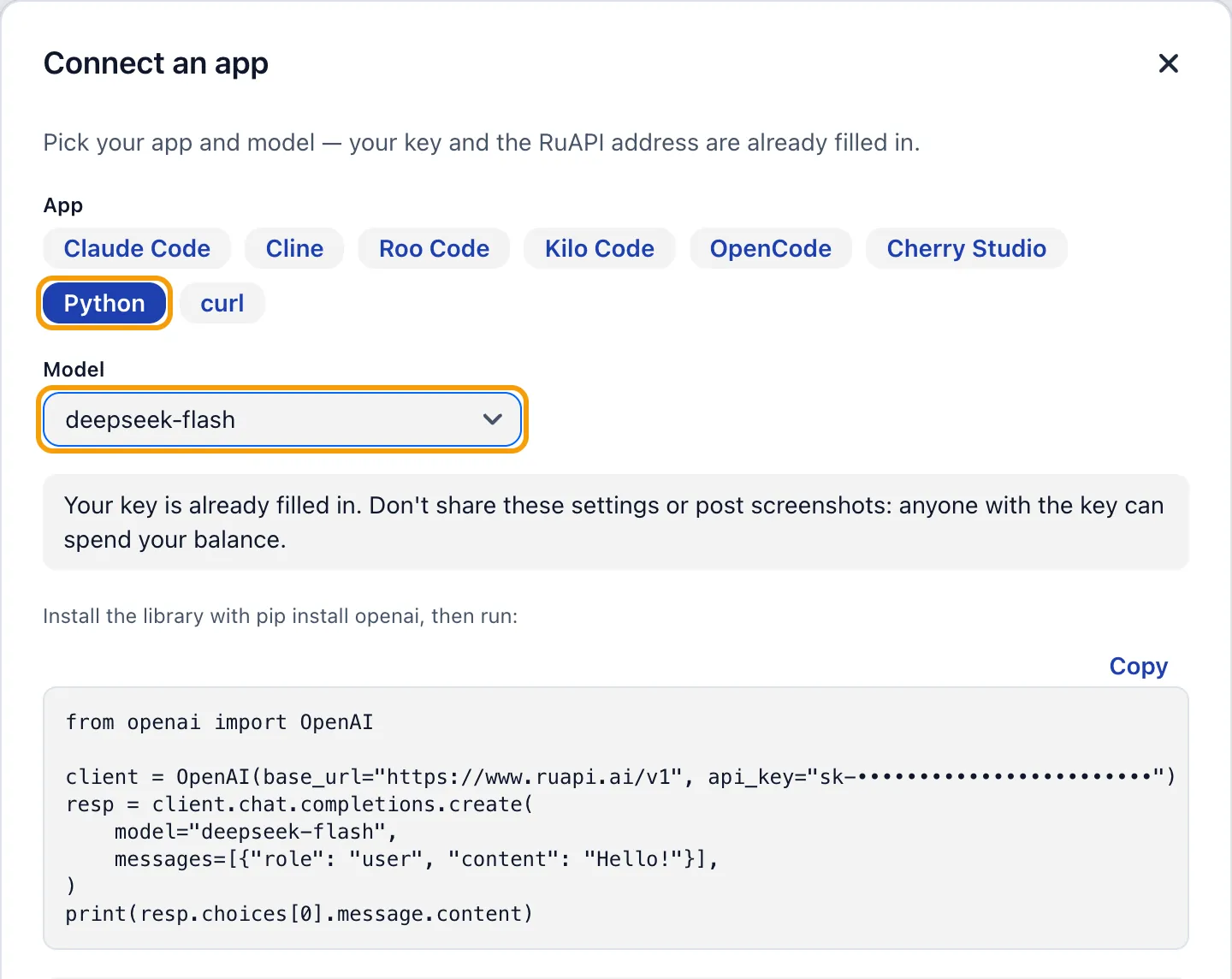
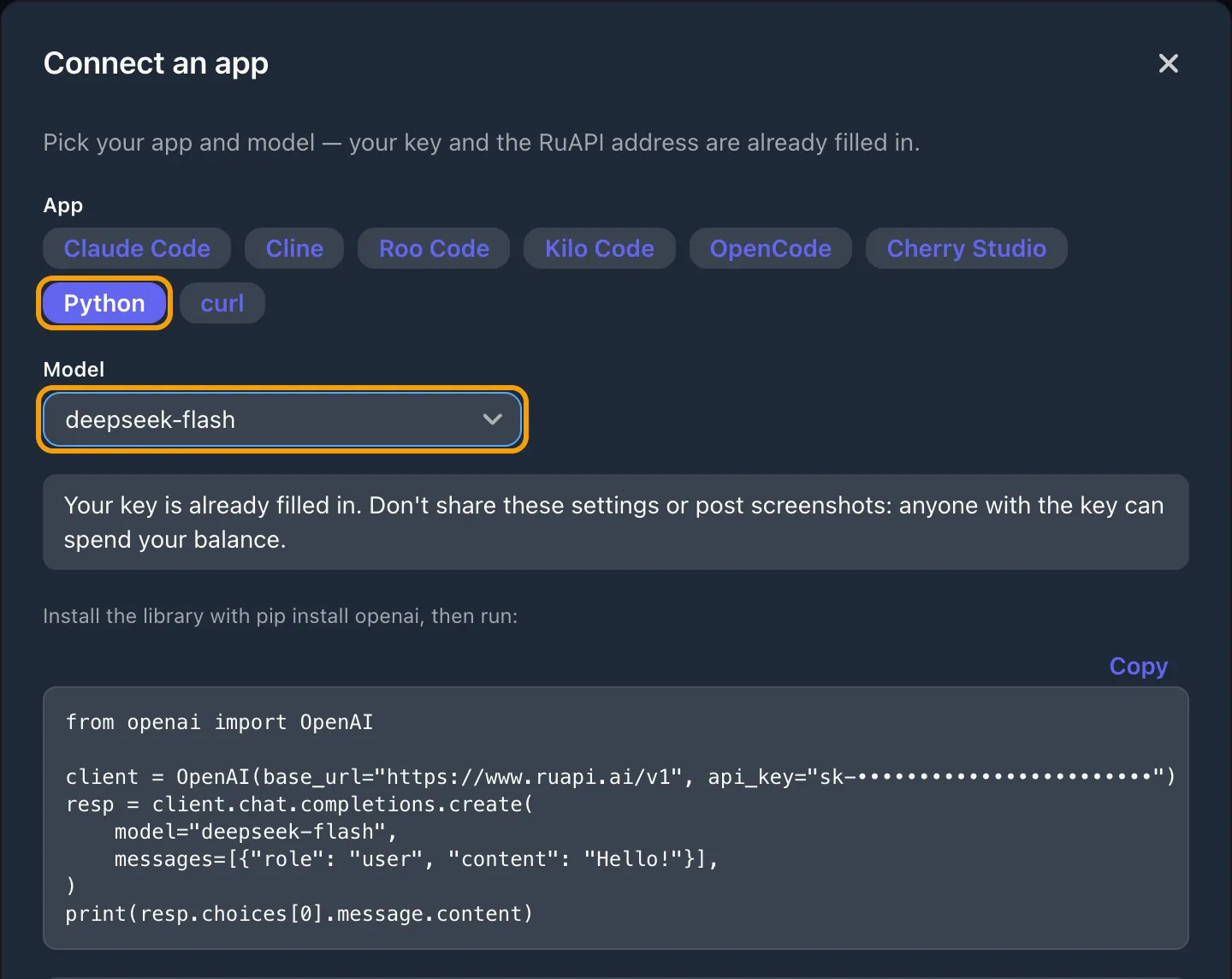
The key is hidden in the screenshot. It opens every model at once, so guard it like a password.
Which model to pick for which task
Code and AI agents
claude-sonnet-5-5 — everyday work
claude-opus-5-5 — hard tasks
deepseek-flash — low-cost routine work
Writing, chat, analysis
gpt-5.4 — general-purpose
gemini-4-argon — reasoning
claude-sonnet-5-5 — writing and analysis
Long documents
context of about 1M tokens:
gemini-4-argon, claude-sonnet-5-5,
deepseek-flash, kimi-k3.1-pro
Bulk tasks on a budget
deepseek-flash
gemini-3.5-flash-lite
claude-haiku-5-5
Images and PDF as input
claude-sonnet-5-5 — images and PDF
gemini-4-argon — images
gpt-5.4 — images
Image generation
gemini-3-pro-image (Nano Banana Pro)
gemini-3.1-flash-image (Nano Banana 2)
gpt-image-2.6-flare, gpt-image-2.6-sunburst
gpt-image-2
Prices for popular models
What the models discussed above cost, in USD per 1M tokens, as on the pricing page. They all draw on one balance — no subscription, and you pay only for what you use.
| model | input $/M | output $/M |
|---|---|---|
| claude-opus-5-5 | $4.80 cache read $0.24 | $24.00 |
| claude-sonnet-5-5 | $2.40 cache read $0.12 | $12.00 |
| claude-haiku-5-5 | $0.12 cache read $0.0120 >100K: $0.60 | $0.60 >100K: $3.00 |
| gpt-5.4 | $3.00 cache read $0.30 >272K: $6.00 | $18.00 >272K: $27.00 |
| gpt-5.4-mini | $0.90 cache read $0.0900 | $5.40 |
| gemini-4-argon | $2.40 cache read $0.12 | $12.00 |
| gemini-3.5-flash-lite | $0.36 cache read $0.0360 | $3.00 |
| deepseek-flash | $0.17 cache read $0.0120 | $1.44 |
How to read the table: input is the regular input price, “cache read” is the price of input served from the prompt cache, output is the price of the model’s reply. When a model gets the same long context again and again (agents, chatbots with a long system prompt), most of it comes from the cache and input ends up several times cheaper.
The grey “>100K” line is the vendor’s official tier for long prompts: when a prompt exceeds the threshold, the whole request is billed at that tier.
RuAPI vs. the direct OpenAI, Anthropic and Google APIs
| RuAPI | Direct from the vendors | |
|---|---|---|
| Access from Russia | Direct, no VPN | Russia isn't on the supported-country lists |
| Payment | USDT from 5 USDT; foreign-issued cards too | A foreign-issued card; Russian cards are declined |
| Keys and balance | One key and one balance for every model | A separate account, key and balance with each vendor |
| Request format | OpenAI protocol for every model; native formats for Claude and Gemini too | Each vendor has its own API and SDK |
Supported-country lists are from the OpenAI, Anthropic and Google API pages (checked Oct 22, 2026).