
Kilo Code without a foreign card — Claude, DeepSeek and GPT paid in USDT, no VPN
Kilo Code is an open-source AI coding agent for VS Code, JetBrains and the terminal. By default you pay for its models with Kilo credits — on Kilo's website by card only, via Stripe — and Russian bank cards don't work abroad. Connect RuAPI as a custom provider instead: Claude, DeepSeek, GPT and Gemini with one key, paid in USDT only for the tokens you use.
from openai import OpenAI

client = OpenAI(
    api_key="sk-...",
    base_url="https://www.ruapi.ai/v1",
)

resp = client.chat.completions.create(
    model="deepseek-flash",
    messages=[{"role": "user", "content": "Hello"}],
)

print(resp.choices[0].message.content)Kilo Code takes the same https://www.ruapi.ai/v1 address and key: ⚙️ Settings → Providers → Custom provider.
Why connect Kilo Code through RuAPI from Russia
Kilo credits on its website are card-only.
Kilo's default setup prompts you to sign in and buy Kilo Gateway credits or a Kilo Pass subscription. On Kilo's website you pay by card via Stripe, every payment carries a 5% fee (kilo.ai, October 2026), and Russian bank cards don't go through abroad. You top up your RuAPI balance in USDT, from 5 USDT.
app.kilo.ai may return a 403 from Russia.
Users in Russia report on GitHub (September–October 2026) that app.kilo.ai returns a 403 error for its config schema (config.json). Model requests through a custom provider don't go to Kilo Gateway but to www.ruapi.ai, which is reachable from Russia without a VPN.
Claude with caching, DeepSeek for routine work.
Set up two providers: one for Claude over Anthropic Messages, so prompt caching works and long tasks cost several times less, and one OpenAI Compatible provider for DeepSeek, GPT, Gemini, GLM, Qwen and Kimi. Both use the same key.
How to connect Kilo Code to RuAPI: 3 steps with screenshots
Ready-made settings for Kilo Code — with your key and the RuAPI address — are right in the Console: you only need to copy them into Kilo.
Set up a RuAPI account instead of Kilo credits
Create an account at www.ruapi.ai with email, Google or Yandex. Instead of buying Kilo credits, top up your RuAPI balance in USDT from 5 USDT; you can buy USDT with rubles via SBP (guide: docs.ruapi.ai/en/buy-usdt). Foreign-issued cards are accepted too.
To test Kilo Code with RuAPI before paying, the $0.05 new accounts usually get right away is enough for a few agent requests with deepseek-flash or claude-haiku-5-5. Every other model unlocks after your first top-up.
Create a separate key for Kilo Code
Console → API Keys → "Create API key". The agent decides how many requests to send, so give the Kilo key a spending limit right away — it won't spend more than that.


Copy the settings into Kilo Code
- In the Console, click "Connect Claude Code, Cline & more", pick Kilo Code and a model. The window shows every field Kilo needs: Provider ID, Display name, Provider API, Base URL, key and models.
- In Kilo Code, open ⚙️ Settings → Providers, click Custom provider at the bottom of the list, copy the values over with the "Copy" buttons and click Submit.
- For Claude, pick a Claude model in the window — the fields will be for the Anthropic Messages protocol, with prompt caching. For DeepSeek, GPT and other models, add a second provider with OpenAI Compatible.
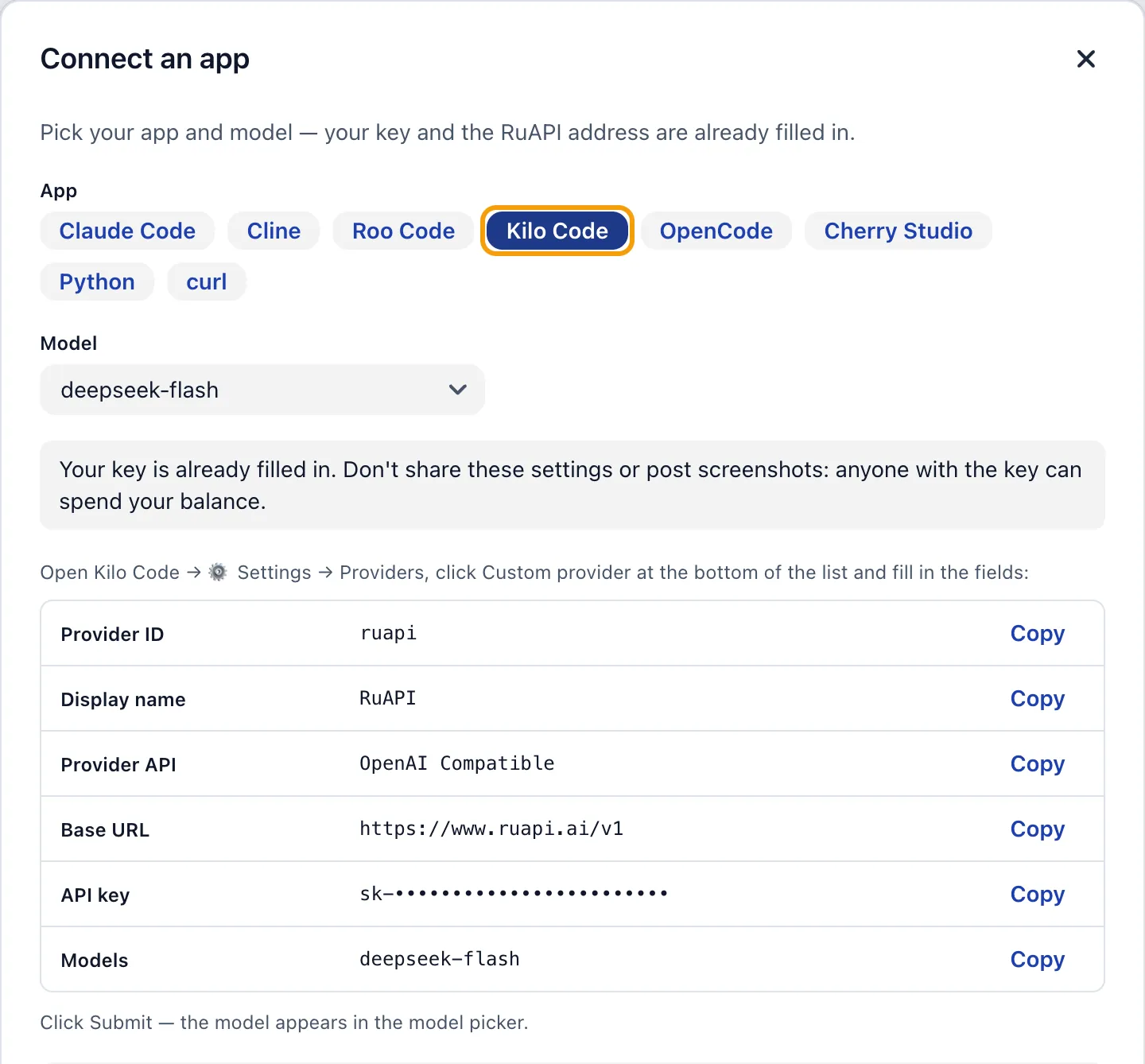
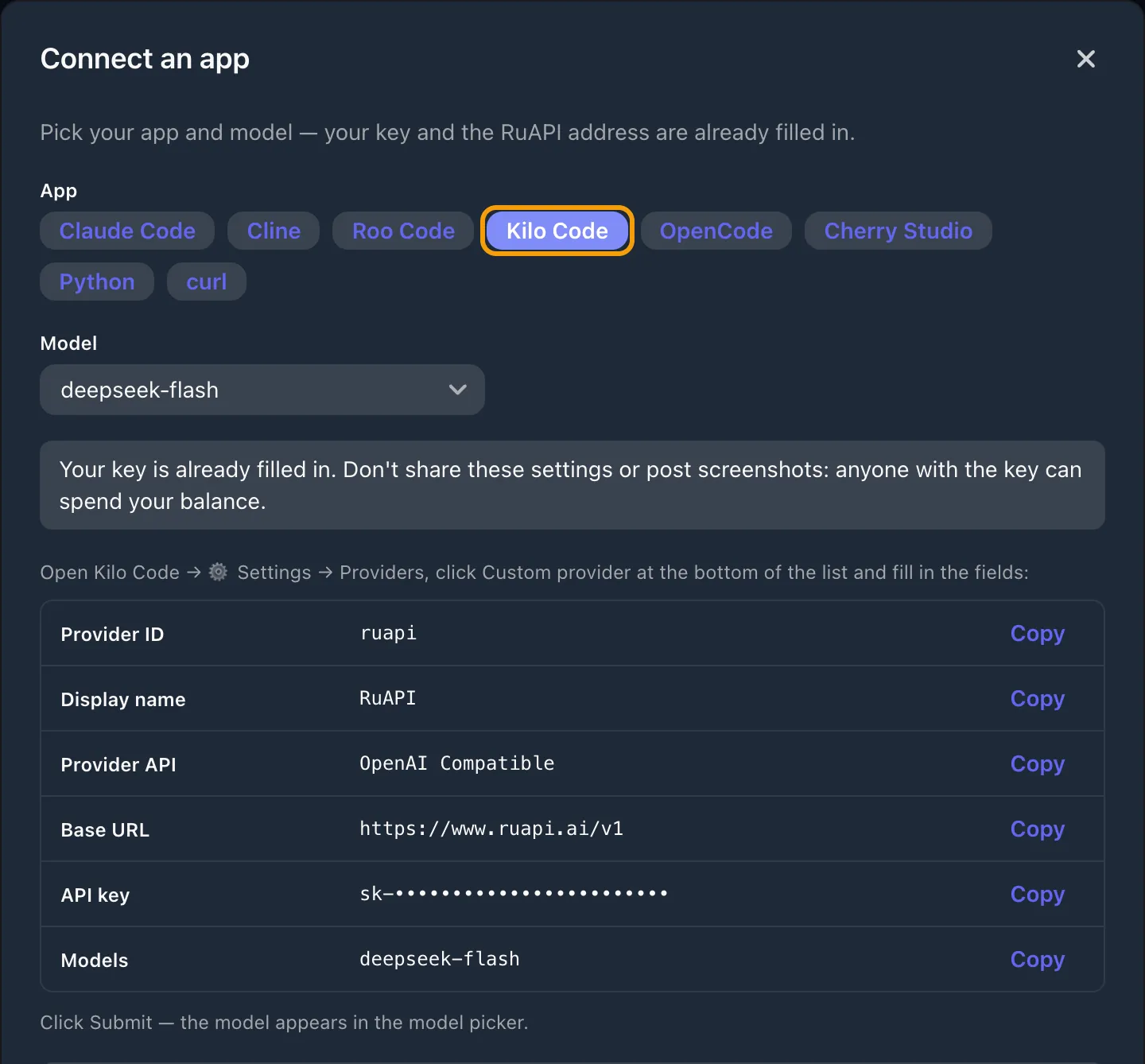
The key is hidden in the screenshot. Kilo stores it in the provider settings — don't show it in screenshots or chats.
Full guide with troubleshooting: docs.ruapi.ai/en/integrations/kilo-code
What to enter in Kilo Code
Claude
Provider API: Anthropic Messages
Base URL: https://www.ruapi.ai/v1
DeepSeek, GPT and others
Provider API: OpenAI Compatible
Base URL: https://www.ruapi.ai/v1
Where it is in Kilo
⚙️ Settings → Providers
Custom provider → Submit
Model prices for Kilo Code
Prices of the models that work well in Kilo Code, in USD per 1M tokens, taken from the pricing page. Usage is charged to your RuAPI balance rather than Kilo credits, and only for the tokens you use.
| model | input $/M | output $/M |
|---|---|---|
| claude-opus-5-5 | $4.80 cache read $0.24 | $24.00 |
| claude-sonnet-5-5 | $2.40 cache read $0.12 | $12.00 |
| claude-haiku-5-5 | $0.12 cache read $0.0120 >100K: $0.60 | $0.60 >100K: $3.00 |
| deepseek-flash | $0.17 cache read $0.0120 | $1.44 |
| deepseek-v4-pro | $1.58 cache read $0.0600 | $4.75 |
| gpt-5.4 | $3.00 cache read $0.30 >272K: $6.00 | $18.00 >272K: $27.00 |
| glm-5.3 | $1.44 cache read $0.36 | $5.02 |
| kimi-k3.1-pro | $2.40 cache read $0.24 | $12.00 |
Columns: input is the price of new input tokens, “cache read” the price of input tokens the model takes from the prompt cache, output the price of the model’s reply. The Kilo agent re-sends the task context at every step, so with caching models most of the input is billed at the cache-read price — several times cheaper than the regular one; the “est. effective w/ cache” estimate is on the pricing page.
The grey “>100K” line is the vendor’s official tier for long prompts: when a prompt exceeds the threshold, the whole request is billed at that tier.
Kilo Code with RuAPI vs. Kilo credits
| Kilo Code + RuAPI | Kilo Gateway credits / Kilo Pass | |
|---|---|---|
| Paying from Russia | USDT, from 5 USDT; foreign-issued cards accepted too | On Kilo's website, card via Stripe; Russian bank cards don't work abroad |
| Top-up fee | RuAPI doesn't charge one; you only pay to send the USDT — usually cents on BEP20 and TON from your own wallet; exchanges and bots set their own withdrawal fee | 5% on every payment |
| Balance expiry | The balance doesn't expire | Purchased credits last 1 year |
| Access from Russia | www.ruapi.ai — direct, no VPN | Users in Russia report a 403 from app.kilo.ai for its config schema |
Kilo information is from kilo.ai/pricing and the Kilo docs and terms (checked Oct 31, 2026); the 403 error is from user reports on GitHub, Kilo-Org/kilocode issue #14683 (Sep 30 and Oct 25, 2026).