
ChatGPT API from Russia — no card, no VPN
OpenAI (GPT) models are live now through one OpenAI-compatible key. The same key also gives you Claude, Gemini, DeepSeek and GLM: pay in USDT, no subscription, no VPN.
from openai import OpenAI

client = OpenAI(
    api_key="sk-...",
    base_url="https://www.ruapi.ai/v1",
)

resp = client.chat.completions.create(
    model="gpt-5.4",
    messages=[{"role": "user", "content": "Hello"}],
)

print(resp.choices[0].message.content)Only BASE_URL and KEY — zero business code changes.
Why using OpenAI directly from Russia is hard
OpenAI declines Russian cards and blocks sign-up from Russia.
We top up in USDT and accounts open in a minute — no card or foreign number needed.
OpenAI geo-restricts Russia — you can't connect without a VPN.
www.ruapi.ai is reachable from Russia directly, no VPN required.
Keeping separate accounts for OpenAI, Anthropic and Google is a hassle.
One key and a shared USDT balance: OpenAI, Claude, Gemini, DeepSeek and GLM.
How to get an API key for OpenAI models: 3 steps with screenshots
This is a RuAPI key, not an OpenAI key: with it you call OpenAI models through RuAPI over the same protocol OpenAI uses. You can create the key in the Console right after sign-up, with no foreign phone number or foreign-issued card; besides GPT, it also calls Claude, Gemini and DeepSeek.
Sign up — no OpenAI account needed
Sign up at www.ruapi.ai with email, Google or Yandex — no foreign phone number. Top up in USDT from 5 USDT; if you don't have USDT yet, buy it with rubles via SBP following docs.ruapi.ai/en/buy-usdt. With a foreign-issued card (Visa / Mastercard) you can skip buying USDT: pay by card and the balance usually updates within a minute.
You can try GPT before paying: gpt-6-luna runs on the $0.05 new accounts usually get right away (so do deepseek-flash and claude-haiku-5-5). gpt-5.4 and the other models unlock after your first top-up.
Create a key to replace your OpenAI key
Console → API Keys → "Create API key". The RuAPI key goes where your OpenAI key used to: the OPENAI_API_KEY variable or the api_key parameter.
If GPT is called by a bot or script that runs unattended, give the key a spending limit — it won't spend more than that.


Grab ready-made GPT code with your key
Click "Connect Claude Code, Cline & more" and pick Python with the gpt-5.4 model: your key and the https://www.ruapi.ai/v1 address are already in the code — copy and run. Cherry Studio and other apps with an OpenAI-compatible API have their own ready-made settings in the same window.
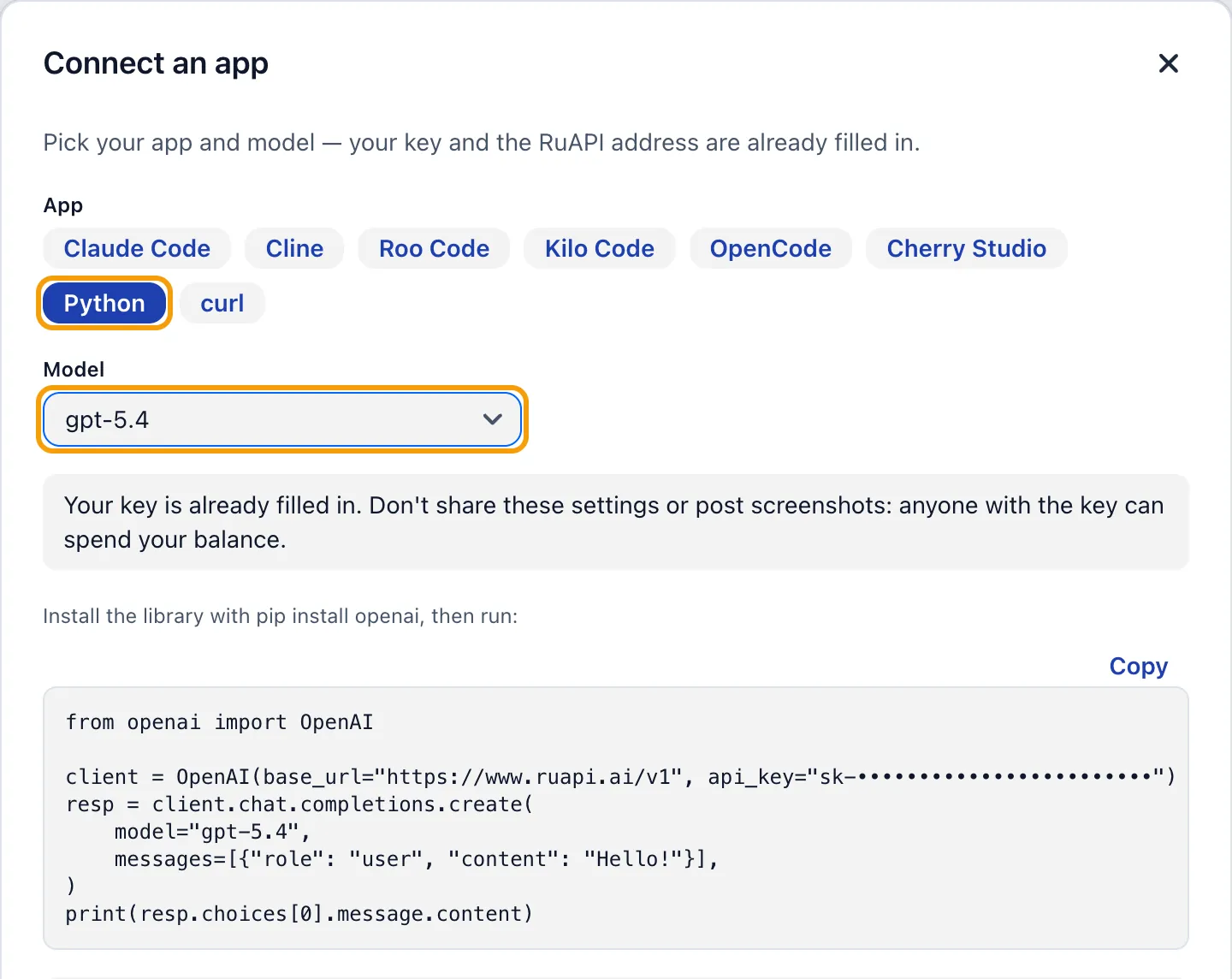
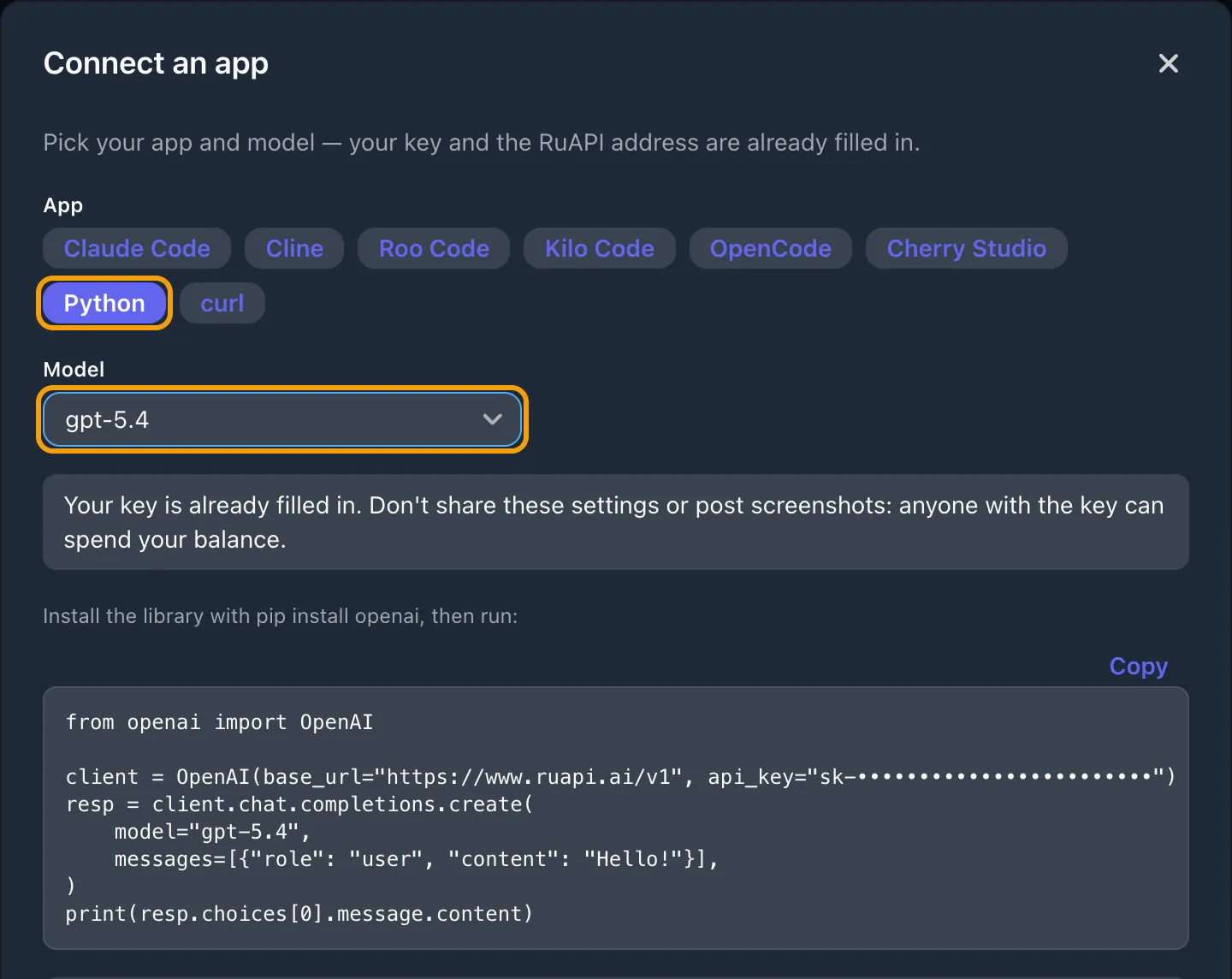
The key is hidden in the screenshot. If someone else has seen your key, delete it under API Keys and create a new one.
All the ways to get an OpenAI API key from Russia and pay for it: docs.ruapi.ai/en/openai-api-key-russia
Key parameters
base_url
OpenAI-compatible: https://www.ruapi.ai/v1
keys and endpoints as in OpenAI
Available models
OpenAI — GPT-5.6, GPT-5.5, GPT-5.4-mini and more
Claude — opus-5-5, sonnet-5-5, fable-5-2
Gemini 3.6 / 3.1 Pro, DeepSeek, GLM — see pricing page
Qwen, MiniMax — see pricing page
Payment
USDT — TRC20 / BEP20 / TON / Polygon
5 USDT minimum, no bank card
ChatGPT API pricing (OpenAI models)
What OpenAI models cost on RuAPI, in USD per 1M tokens, taken from the pricing page. You top up in USDT, and only the tokens you use are charged.
| model | input $/M | output $/M |
|---|---|---|
| gpt-6.2-astra | $9.60 cache read $0.48 >272K: $19.20 | $48.00 >272K: $72.00 |
| gpt-6.2-sol | $2.40 cache read $0.12 >272K: $4.80 | $12.00 >272K: $18.00 |
| gpt-6-astra | $12.00 cache read $1.20 >272K: $24.00 | $60.00 >272K: $90.00 |
| gpt-6.1-sol | $2.40 cache read $0.12 >272K: $4.80 | $12.00 >272K: $18.00 |
| gpt-6.1-terra | $1.20 cache read $0.0600 >272K: $2.40 | $6.00 >272K: $9.00 |
| gpt-5.6-sol | $4.80 cache read $0.48 >272K: $9.60 | $24.00 >272K: $36.00 |
| gpt-5.6-terra | $2.40 cache read $0.24 >272K: $4.80 | $14.40 >272K: $21.60 |
| gpt-5.6-luna | $0.24 cache read $0.0240 >272K: $0.48 | $1.44 >272K: $2.16 |
| gpt-5.5 | $6.00 cache read $0.60 >272K: $12.00 | $36.00 >272K: $54.00 |
| gpt-5.4 | $3.00 cache read $0.30 >272K: $6.00 | $18.00 >272K: $27.00 |
| gpt-5.4-mini | $0.90 cache read $0.0900 | $5.40 |
How to read the table: input is regular input, “cache read” is input tokens OpenAI serves from the prompt cache (prompt caching), output is the model’s reply; prices are per 1M tokens. In Codex, Cline and other agents most of the prompt repeats and comes from the cache, so input works out several times cheaper — the pricing page shows the approximate “est. effective w/ cache” price.
The grey “>272K” line is the vendor’s official tier for long prompts: when a prompt exceeds the threshold, the whole request is billed at that tier.